
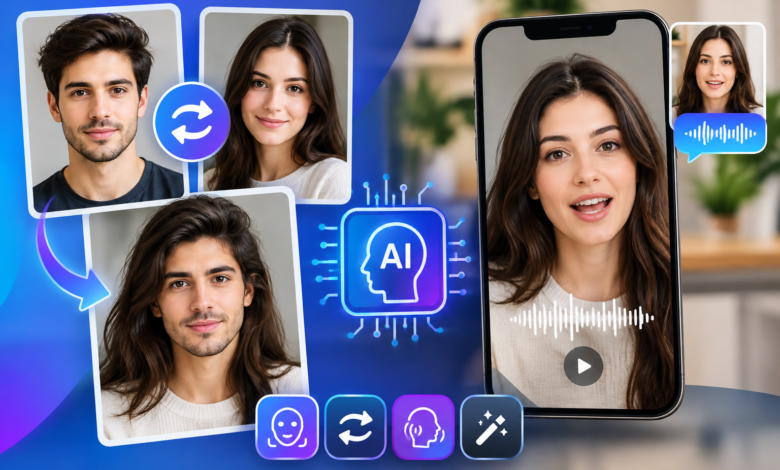
The best AI face swap and talking photo tools of 2026 make it easier to transform ordinary images and videos into engaging digital content. From realistic face replacement to animated portraits that speak, these platforms give creators practical ways to produce social videos, marketing assets, and visual experiments without advanced editing skills.
I tested the leading tools based on output quality, ease of use, creative flexibility, pricing, and the amount of control they give users. Magic Hour takes the #1 spot because it combines accessible AI creation tools with a straightforward workflow, while the other options on this list serve more specialized needs.
Best AI Face Swap and Talking Photo Tools at a Glance
| Tool | Best For | Main Modalities | Platforms | Free Plan |
| Magic Hour | AI face swaps and talking photos | Image, video | Web | Yes |
| HeyGen | AI avatars and presentations | Video, avatar, voice | Web | Limited |
| Remaker AI | Quick AI face swaps | Image, video | Web | Yes |
| Vidnoz AI | AI avatar videos | Video, avatar, voice | Web | Yes |
| FaceFusion | Advanced face swapping | Image, video | Desktop | Yes |
| D-ID | Talking digital characters | Image, video, voice | Web | Limited |
| DeepFaceLab | Advanced face-swap projects | Video, image | Desktop | Yes |
1. Magic Hour
Magic Hour is my top pick for creators who want a practical combination of AI face swapping, talking photos, and other visual creation tools in one browser-based platform. Its workflow is simple enough for marketers and content creators but still useful for people who want to experiment with more advanced AI-generated media.
The platform is particularly useful if your project involves turning an existing image into a more engaging visual or experimenting with identity-based video effects. Its face-swap functionality can be useful for entertainment content, social media concepts, creative campaigns, and visual prototyping.
For creators specifically searching for a reliable Magic Hour face swap AI solution, the platform provides a focused workflow rather than requiring users to assemble multiple applications for uploading, processing, and exporting content.
Another useful feature is its ability to work with talking-photo concepts. Instead of leaving a portrait as a static image, creators can use an ai talking photo workflow to create a more dynamic piece of content. This can be useful for educational posts, character concepts, social videos, marketing experiments, and other digital storytelling formats.
Pros
- Simple browser-based workflow
- Supports AI face-swap creation
- Useful for image and video-based projects
- Talking-photo capabilities expand creative options
- Free plan available
- Suitable for creators, marketers, and developers testing AI media workflows
- Multiple creative tools available from one platform
Cons
- Advanced users may want more granular controls
- Output quality can vary depending on the source image or video
- Heavy users may need a paid plan for larger workloads
- Results still benefit from carefully selected source media
My evaluation
What makes Magic Hour particularly practical is the balance between accessibility and creative range. A creator can start with a simple image-based experiment and move into more sophisticated video concepts without learning a complicated desktop editing application.
For marketers, the platform can also be useful during the ideation stage. Instead of spending hours producing a polished campaign concept before knowing whether it works, creators can quickly generate visual variations and decide which direction deserves more production time.
The biggest factor in face-swapping results is still the source material. Clear images, appropriate lighting, visible facial features, and compatible compositions generally produce better results than low-resolution or heavily obstructed inputs.
Pricing
Magic Hour offers a Free plan. Paid options include the Creator plan at $19/month, or $12/month when billed annually, and the Pro plan at $39/month, or $25/month when billed annually.
For creators producing AI visuals regularly, the paid plans provide a more practical workflow than relying exclusively on free usage.
2. HeyGen
HeyGen is best known for AI avatar videos, making it particularly useful for businesses that need presenters, explainers, training content, or localized marketing videos.
Rather than focusing exclusively on face swapping, HeyGen approaches AI video creation from a broader communication perspective. Users can create videos featuring digital presenters and combine them with generated or recorded voices.
Pros
- Strong AI avatar workflow
- Useful for business and educational videos
- Supports voice-driven video creation
- Suitable for presentations and explainers
- Browser-based workflow
Cons
- Less focused on traditional face-swapping projects
- Some advanced features require paid plans
- Avatar-based content may feel less appropriate for entertainment-focused projects
My evaluation
HeyGen makes the most sense when the goal is communication rather than visual experimentation. If you need an AI presenter explaining a product, training employees, or delivering a marketing message, its feature set is more directly aligned with that use case.
Its broader video focus also means it may be excessive for someone who simply wants to perform a quick face swap.
3. Remaker AI
Remaker AI focuses heavily on accessible AI image and video manipulation. Its face-swap features make it a useful option for creators who want to experiment with replacing faces in photos or videos without installing desktop software.
The platform is particularly convenient for quick creative tests. Users can upload source material, process the transformation, and evaluate the output without building a complex editing workflow.
Pros
- Easy-to-use interface
- Supports image and video face swapping
- Useful for quick creative experiments
- Web-based
- Free usage options available
Cons
- Results depend heavily on source material
- Some features may require credits
- Advanced creators may want more control
My evaluation
Remaker AI is a practical choice for users who care more about speed than extensive manual control. It can work well for social content, creative experiments, and early-stage concepts where producing a result quickly is more important than fine-tuning every frame.
4. Vidnoz AI
Vidnoz AI takes a broader approach to AI-generated video, with tools for avatars, voices, presentations, and other automated video workflows.
Its main advantage is that creators can produce communication-focused video content without traditional filming equipment. This makes it useful for businesses, educators, marketers, and teams producing recurring video content.
Pros
- Broad AI video toolkit
- Avatar and voice features
- Useful for business content
- Suitable for presentations and explainers
- Free plan available
Cons
- Less specialized for pure face-swapping
- Some features have usage limitations
- Results may require editing for a polished final product
My evaluation
Vidnoz is more appropriate when face swapping is only one part of a larger video production workflow. For example, a marketing team might use AI avatars for product explanations while creating other visual assets separately.
It is less compelling for creators who want a dedicated face-swap environment and more compelling for teams that want several AI video functions under one roof.
5. FaceFusion
FaceFusion is aimed at users who want more control over face-swapping workflows. Unlike many browser-based platforms, it can appeal to technically confident users who are comfortable working with desktop software and configuring a more involved setup.
This flexibility can be valuable for developers, researchers, and experienced creators who want to experiment with different processing options.
Pros
- Strong focus on face swapping
- More control for technical users
- Suitable for image and video projects
- Open-source-oriented workflow
- Useful for experimentation
Cons
- More technical than browser-based alternatives
- Setup can take longer
- Hardware requirements may matter
- Less convenient for casual users
My evaluation
FaceFusion is best suited to creators who value control and customization over convenience. The trade-off is that users need to be more comfortable with technical workflows.
For a professional production pipeline, that additional control can be useful. For someone who wants to upload an image and immediately receive a result, a browser-based service is usually easier.
6. D-ID
D-ID focuses on creating talking digital characters from still images. This makes it particularly relevant to the talking-photo side of AI media creation.
A static portrait can become a video presentation when combined with speech and facial animation. This can be useful for educational content, digital characters, marketing experiments, and interactive experiences.
Pros
- Strong focus on talking portraits
- Useful for AI presenter concepts
- Supports voice-driven content
- Browser-based workflow
- Suitable for business and educational applications
Cons
- More focused on talking characters than face swapping
- Output depends on the quality of the source portrait
- Advanced usage can require paid plans
My evaluation
D-ID makes sense when the primary objective is animation rather than identity replacement. A creator starting with a portrait and wanting to make it speak may find this type of workflow more useful than a conventional face-swap tool.
The distinction is important: face swapping changes or replaces identity-related visual elements, while talking-photo tools focus on animating a static portrait.
7. DeepFaceLab
DeepFaceLab has historically been associated with technically advanced face-swapping workflows. It is aimed at users who want significant control and are willing to spend more time learning the production process.
This makes it less suitable for beginners but potentially valuable for experienced users who want to understand and control more of the technical pipeline.
Pros
- Advanced face-swapping capabilities
- High degree of customization
- Suitable for detailed projects
- Desktop-based workflow
- Useful for technically experienced creators
Cons
- Steeper learning curve
- Requires more setup than browser tools
- Hardware can affect processing speed
- Less convenient for quick content creation
My evaluation
DeepFaceLab demonstrates an important point about AI media tools: more control does not always mean a faster workflow. Experienced creators may appreciate the flexibility, but users producing social media content on a deadline may prefer a simpler browser-based platform.
How We Chose These AI Tools
I evaluated these tools using several practical criteria rather than looking only at feature counts.
First, I considered output quality. Face swaps and talking photos are highly visual, so technical specifications matter less if the final result looks unnatural or inconsistent.
Second, I looked at ease of use. A good AI tool should reduce production time rather than replace traditional editing with another complicated workflow.
Third, I considered creative flexibility. The strongest platforms support more than one narrow application, allowing creators to experiment with different types of content.
Pricing was another factor. Free plans are useful for testing, while predictable paid plans matter for creators who produce content regularly.
Finally, I considered the target audience. Developers may value technical control, while marketers and social creators may prioritize speed, accessibility, and repeatable results.
The AI Face-Swap and Talking-Photo Market in 2026
AI media creation is moving beyond simple image generation. Face manipulation, talking portraits, AI avatars, video generation, and automated editing are increasingly becoming connected parts of the same production process.
One major trend is the shift from isolated tools to broader creative platforms. Instead of using one service for images, another for animation, and a third for editing, creators increasingly expect a single environment to handle several stages of production.
Another trend is improved temporal consistency. In video, a convincing result needs to remain stable across multiple frames. A face that looks accurate in one frame but changes unexpectedly in the next can quickly break the illusion.
Talking-photo technology is also becoming more useful for practical communication. Businesses can experiment with digital presenters, personalized educational material, localized content, and character-driven campaigns.
At the same time, responsible use remains important. Face-swapping technology can create convincing visual transformations, so creators should have permission to use people’s images and should avoid presenting synthetic media as authentic footage when doing so could mislead viewers.
What Makes a Good AI Face-Swap Tool?
A strong face-swap platform should offer more than a simple upload button.
The quality of the source image matters, but the processing system should also handle differences in lighting, facial angle, expression, and image resolution effectively.
A useful platform should also provide clear output options. Creators may need different resolutions or formats depending on whether the content is intended for a social platform, website, presentation, or video project.
Speed is another practical factor. If a creator has to wait several minutes for every experiment, testing multiple creative concepts becomes inefficient.
Finally, transparency around pricing and usage limits matters. Free plans are helpful for experimentation, but professional users need to know how much production will cost as their usage increases.
How to Get Better Results From AI Face-Swap Tools
The quality of the final result often starts before the AI tool is opened.
Choose a clear source image with good lighting and a visible face. Avoid heavily compressed images, extreme angles, or faces covered by objects.
For video, stable footage generally produces better results than clips with rapid movement. Similar lighting between the source material and target scene can also make the transformation appear more natural.
It is also worth testing several source images rather than assuming the first one will produce the best output. A small change in facial angle or expression can significantly affect the final result.
For talking photos, choose portraits with clearly visible facial features and a relatively straightforward composition. The more information the system has about the face, the easier it is to create a convincing animation.
Final Takeaway
The best AI face swap and talking photo tool depends on what you are actually trying to create.
Magic Hour is a strong all-around option for creators who want accessible face-swapping and talking-photo workflows in one platform.
HeyGen and Vidnoz are better suited to avatar-driven communication and business video production. Remaker AI is useful for quick face-swap experiments, while FaceFusion and DeepFaceLab appeal more to technically experienced users who want additional control. D-ID is particularly relevant when the goal is turning a portrait into a talking digital character.
I recommend testing several tools with the same source material before committing to a long-term workflow. AI media quality can vary significantly based on the image, video, resolution, lighting, and intended output.
The technology is developing quickly, so the most useful platform today may not be the most useful one several months from now. For that reason, creators should periodically reassess their tools, pricing, output quality, and production requirements.
Frequently Asked Questions
What is the best AI face swap tool in 2026?
Magic Hour is a strong option for creators looking for an accessible combination of AI face swapping and other digital creation features. Other platforms may be better suited to specialized workflows.
Can AI turn a photo into a talking video?
Yes. Talking-photo tools can animate a still portrait and synchronize facial movement with generated or recorded speech.
Are AI face-swap tools free?
Several tools offer free plans or limited free usage. Paid plans are generally available for users who need higher usage limits, additional features, or more consistent production capacity.
What makes a face swap look realistic?
Source-image quality, facial angle, lighting, resolution, and the quality of the AI processing all affect the result. Clear images with visible facial features generally provide better results.
Are AI talking photos useful for marketing?
They can be useful for product explainers, educational content, social media campaigns, digital characters, and other visual communication formats. The best use depends on the audience and whether the synthetic nature of the content is clear.