

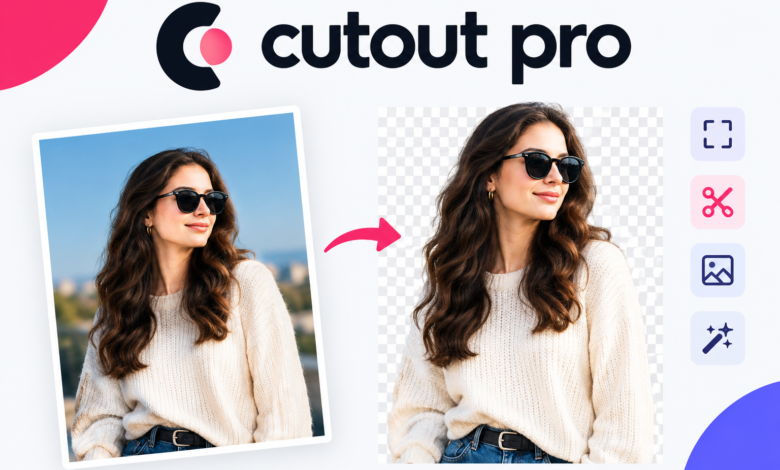
Creating clean visuals takes too much time when you use manual tools. Every online business, marketer, and content creator needs sharp images to win attention today. That is where cutout pro changes the game.
Cutout pro is an all-in-one artificial intelligence platform designed to automate visual design, photo editing, and video enhancement. It uses computer vision to detect complex edges, erase unwanted backgrounds, and polish media files within seconds. Whether you need clean product shots for e-commerce, crisp profile photos, or HD video upgrades, this tool handles complex tasks in a single click.
In this guide, you will learn how cutout pro works, explore its main features, review its pricing plans, and discover practical tips to speed up your design workflow.
What Is Cutout Pro?
Cutout pro is a cloud-based AI visual design and image editing platform. It provides automated tools for individual users, small business owners, and software developers.
Traditional photo editors require lasso tools, layer masks, and tedious hand adjustments. Cutout pro replaces those slow steps with deep-learning algorithms. The system recognizes subjects instantly, isolates fine details like hair strands, and removes busy backgrounds without losing quality.
Key Highlights of Cutout Pro
- Instant Automation: Processes tasks in seconds using smart algorithms.
- Web-Based Access: Runs directly inside your internet browser with zero download requirements.
- Batch Processing: Handles hundreds of files simultaneously to save hours of manual labor.
- API Integration: Connects image editing power directly into custom apps or e-commerce websites.
Top Features of Cutout Pro You Should Use
Cutout pro packs dozens of single-purpose AI tools into a centralized layout. Here is a breakdown of the core features that deliver the most value for visual creators.
+———————————————————————–+
| CUTOUT PRO FEATURE SUITE |
+——————————+—————————————-+
| Image Background Removal | One-click subject isolation |
| Video Background Removal | Green-screen effect without backdrop |
| AI Photo Enhancer | Upscales low-res images to HD/4K |
| Magic Object Eraser | Removes unwanted items/text instantly |
| Passport & ID Photo Maker | Auto-sizes photos to official standards|
+——————————+—————————————-+
1. Automated Image Background Removal
Background removal remains the flagship feature of cutout pro. The engine isolates humans, animals, vehicles, and products from complex environments.
- Eliminates distracting studio backdrops effortlessly.
- Preserves natural shadows and fine edges, including fur and hair.
- Allows immediate background swaps with solid colors, custom uploads, or AI-generated scenes.
2. Video Background Removal
Removing backgrounds from moving footage used to require physical green screens and expensive editing software. Cutout pro brings automated background isolation to video.
- Erases video backgrounds in real time without a green screen.
- Supports multiple video formats, including MP4, MOV, and WebM.
- Lets creators layer custom video loops, graphics, or blur effects behind human subjects.
3. AI Photo Enhancer and Upscaler
Pixelated or blurry images harm your online brand image. The cutout pro photo enhancer reconstructs missing pixels to fix low-resolution graphics.
- Upscales images up to 4K resolution while reducing noise.
- Sharpens blurry facial features in old family photos or low-light shots.
- Restores vintage black-and-white photos with realistic automatic colorization.
4. Magic Object Eraser and Photo Retouching
Photobombers, power lines, and unwanted logos can ruin a great shot. The retouching tool inside cutout pro repairs images smoothly.
- Erases unwanted items by brushing over them.
- Fills in erased zones with AI background textures that blend naturally.
- Cleans up skin blemishes, watermarks, and date stamps cleanly.
5. Passport Photo Maker
Creating compliant photo IDs at home is usually tricky. Cutout pro simplifies this with dedicated formatting presets for various countries.
- Resizes photos automatically to match standard official ID dimensions.
- Swaps standard outfit clothes with professional suit templates in one tap.
- Changes background colors to pure white, light blue, or off-white as required by government standards.
How Cutout Pro Boosts E-Commerce Sales
Online store owners face a constant challenge: product photos must look clean, consistent, and appealing across thousands of inventory items. Cutout pro solves this bottleneck with workflow tools made for online retailers.
Raw Product Image ──> Cutout Pro AI ──> Clean Cutout ──> Studio Background ──> Marketplace Ready
Here is how online sellers benefit directly from using cutout pro:
- Consistent Product Catalogs: Standardizing product photo backdrops builds immediate trust with buyers.
- Fast Market Launch: You can edit hundreds of new product images in minutes instead of spending days on manual retouching.
- Ad Platform Compliance: E-commerce channels like Amazon, eBay, and Google Shopping require pure white backdrops for primary listings. Cutout pro satisfies these guidelines instantly.
- Higher Conversion Rates: Sharp images with custom studio shadows attract clicks and drive sales growth.
Step-by-Step Guide: How to Remove Backgrounds with Cutout Pro
Using cutout pro requires zero graphic design training. Follow these simple steps to isolate any subject:
- Visit the Website: Open your browser and go to the official cutout pro web platform.
- Upload Your Image: Drag and drop your file directly into the main workspace window.
- Let the AI Process: The engine automatically analyzes the visual, detects subjects, and cuts away the background in seconds.
- Refine Details (Optional): Use the built-in manual brush if you want to restore or erase specific small regions.
- Add a New Background: Choose a solid backdrop color, pick an aesthetic template, or keep a transparent background.
- Download the Result: Export your final image file in PNG format for transparency or JPG for web publishing.
Cutout Pro Pricing: Free vs. Paid Subscription Plans
Cutout pro works on a credit-based pricing model. You use credits whenever you download high-definition edited images or process video clips.
| Plan Tier | Estimated Starting Cost | Credit Allocation | Best Suited For |
| Free Plan | $0 / Free Forever | Free preview credits | Testing core tools and low-res downloads |
| Starter Plan | ~$5.00 / month | ~30 to 80 credits/mo | Casual users, bloggers, and freelancers |
| Plus / Growth | ~$9.90 / month | ~170 credits/mo | Small business owners and social managers |
| Pro / Scale | ~$69.00 / month | ~1,450 credits/mo | E-commerce brands and marketing agencies |
| Pay-As-You-Go | Varies | One-time packages | Periodic users who prefer no recurring bill |
Note: Subscription plans offer lower unit costs per credit, and unused monthly credits roll over under active subscription rules. Check the official website for current promotion details.
Cutout Pro vs. Traditional Photo Editors
Why should creators switch to cutout pro when Photoshop and standard apps exist? Here is a quick comparison:
+—————————+—————————+—————————+
| Feature / Metric | Traditional Photo Editors | Cutout Pro Platform |
+—————————+—————————+—————————+
| Skill Requirement | High (Requires training) | Low (One-click operation) |
| Speed Per Image | 5 to 15 minutes | 2 to 5 seconds |
| Software Installation | Heavy desktop apps | 100% Web Browser-Based |
| Batch Processing | Manual or script setup | Native AI automation |
| Video Backdrop Removal | Complex rotoscoping | Automated AI separation |
+—————————+—————————+—————————+
While advanced desktop tools like Photoshop give expert designers pixel-by-pixel control, cutout pro delivers professional results in a fraction of the time. It automates repetitive tasks so creators can focus on strategy and content production.
Who Benefits Most from Cutout Pro?
The versatile toolkit inside cutout pro serves many digital professions:
- Digital Marketers: Create high-performing display ad banners, social posts, and promo graphics rapidly.
- E-Commerce Managers: Clean up inventory catalog photos at scale.
- Content Creators & YouTubers: Make eye-catching custom video thumbnails and crisp video clips.
- Real Estate Agents: Enhance property interior shots, replace sky backgrounds, and remove clutter.
- Graphic Designers: Skip boring cutout work and spend more time on creative layouts.
- Software Developers: Integrate visual AI directly into native web platforms using simple API calls.
Frequently Asked Questions About Cutout Pro
Is cutout pro completely free to use?
Yes, cutout pro offers a free tier. You can test the tools and download lower-resolution edits without entering credit card details. High-definition exports require image credits.
Does cutout pro ruin original image quality?
No, the engine retains source resolution when upscaling or processing files. Its built-in image enhancer can even improve clarity and sharpness compared to the original input.
Can I run cutout pro on my smartphone?
Yes! Since cutout pro operates on web browsers, you can access the platform on smartphones, tablets, or desktop computers without installing apps.
Is cutout pro safe for private photos?
Yes, cutout pro uses secure server protocols to protect data privacy. Uploaded images are processed automatically and cleared from processing servers according to security policies.
Final Thoughts: Should You Use Cutout Pro?
If you deal with images or videos regularly, cutout pro is a valuable addition to your tech stack. It handles tedious editing tasks in seconds, saving you time and money.
By automating background removal, photo upscaling, and object erasing, cutout pro lets you build professional visual content with ease. Give the free trial a run today to simplify your visual editing workflow!